
(I’m embarrassed to say that this blog post should have gone out in Feb 2023 as that is when a draft was written below – but time got away from me).
This is one of the parts of my job that I enjoy – rethinking and redesigning lessons to better support curriculum. One example recently came from the Wellness department. In Wellness I classes, students are asked to take a look at food that they eat and document nutritional facts. The idea here is for students to get a general idea as to what they eat and how their decisions relate to the daily recommended allowance.
To make this happen, students are asked to document food that they would eat over a span of two days at restaurants. Using a nutrition calculator, students are able to find accurate nutritional facts. Once students document their own data, they are asked to answer questions comparing their results to the daily recommended allowance. Students in the past were given a google document similar to the image below.
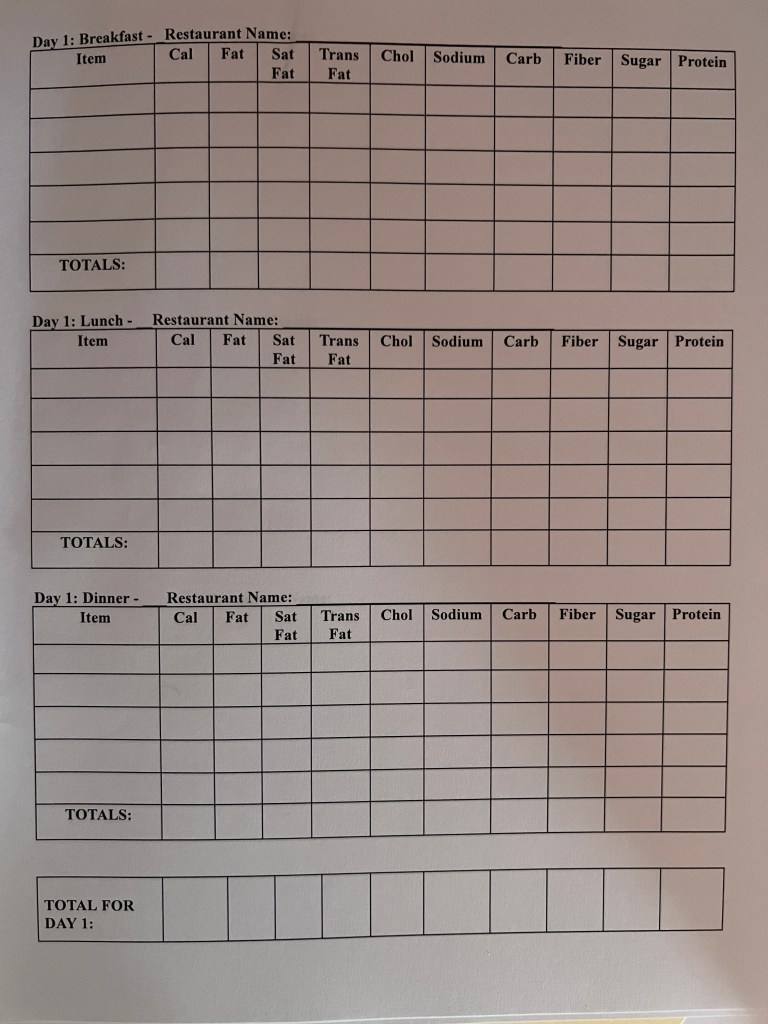
With this document, all information is provided in a one stop shop. A nutritional calculator is provided, tables are clearly labeled prompting students with the necessary information needed, and follow up questions are provided. Students are asked to complete the worksheet.
Rethink how to Showcase Information
What is missing you might ask? How could we redesign this lesson? I would say that the only thing that is missing is helping students work with data via spreadsheets. Spreadsheets are such an important tool that students should become more familiar with. More and more careers work with spreadsheets. Adults are also using spreadsheets to help organize their personal lives. Just yesterday, I was having a conversation with a teacher about her daughter going to college next year. At some point she commented to me in our conversation, “that is a good question. Let me pull up the college spreadsheet that I started.”
Students are already collecting data in this lesson. What better way than taking that particular data and helping students understand how spreadsheets can be used to help assist with their learning. Students are asked to sum up totals as well as take averages – let’s take this opportunity to show students how spreadsheets can do just that for them.
Conditional formatting was also integrated with the spreadsheet to help give students visual cues regarding their own data versus the daily recommended allowance. This is something that was not available in the Google document that was originally created. Automatically cells are color coded either green or red based on how the values relate to the daily recommended allowance.
Below is the updated version of the activity. If you would like your own copy, click HERE.

Here is how we redesigned the lesson.
Sheet 1 – Instructions and resources are provided for the students on the first tab. If a student does not know how to do a particular task with spreadsheets, they have the ability to click on the link provided – linked to a gif documenting the process
Sheet 2 – Students are asked to enter in their data. Here students were asked to wrap text so that all information showed in each cell appropriately, sum rows in the sheet by using a formula, as well as find the average of numbers.
Sheet 3 – Students are asked to answer the questions in the cells provided. This was helpful so that teachers didn’t have to open two different files in Google Classroom. Students were also able to answer the questions on the same screen where their data was located. This was a win, win for both parties. Pro Hack: We asked students to move the third tab sheet to the front so that when teachers opened the file, they would right away be brought to the last tab to view work. Less clicking for the teachers when it came time to grade. (NOTE: We did have it set so that when data was filled in the chart on sheet 2, it would show up on sheet 3, but with the make a copy for each student, we found that it didn’t work so we had students copy and paste the data from sheet 2 to sheet 3 manually. Learning moment for us.)
With this activity, students are not only learning about the importance of daily recommended allowances and making healthy choices, they are also learning some basic skills relating to spreadsheets in a meaningful way.
If you have any questions on how you can rethink or redesign a lesson, you know where to find me.
And that is my Spiel…
 Craig M Sheil