
Recently, our district made the decision to allow high school students access to NotebookLM. In an effort to help make sure that we’re being thoughtful and deliberate, we took this opportunity to have a reminder conversation with students on appropriate use cases as well as important reminders when working with AI. We wanted to remind students what the point of school is — it’s to learn. At times, learning should and needs to be done without the assistance of AI and in other instances it could supplement the work that the student is doing. Ultimately, we, the librarian Jessie Gilcreast and I, want to make sure that all students and teachers have a clear understanding of the expectations. Over the span of four days, we spoke with each graduating class in the theater for a 30 minute presentation. This presentation was broken up into three sections.
Section 1: NotebookLM introduction — highlighting what the tool is and how it could be used. Depending on the grade level depended on what we highlighted from the notebook. For juniors and seniors, we talked about how a notebook to help students prepare and study for some high stakes assessments coming up in the coming months. For seniors, highlighted how this tool just might be helpful for some of their college classes in the near future. For underclassmen highlighted what the experience would look like if a teacher shared a notebook in their Google Classroom for students to access.
Section 2: What is the purpose of school?– reminding students about this very idea and how sometimes it is important to persevere and other times, completely ok to reference a tool like AI.
Section 3: Important reminders when using AI — reminding students things to be aware of, even outside of education. Let’s face it, genAI is a business and students need to be aware of their privacy. Just because you can use it doesn’t mean you should always use it.
The Presentation
Below is the presentation that was presented to the students. We hope that this will help inspire you to have important conversations with your students as well. We understand that having just one conversation is not enough, but it is a start.
BHS Student Conversation – GenAI 2026 by Craig Sheil
Elements of the Presentation
Below, you will find some of the items that we wanted to specifically highlight from the presentation. What is important to know is that this presentation is a second presentation that students have heard relating to AI. For grades 10-12, we spoke with them two years ago. For the 9th grade class, they heard from us at the start of their high school career.
Using AI Visual
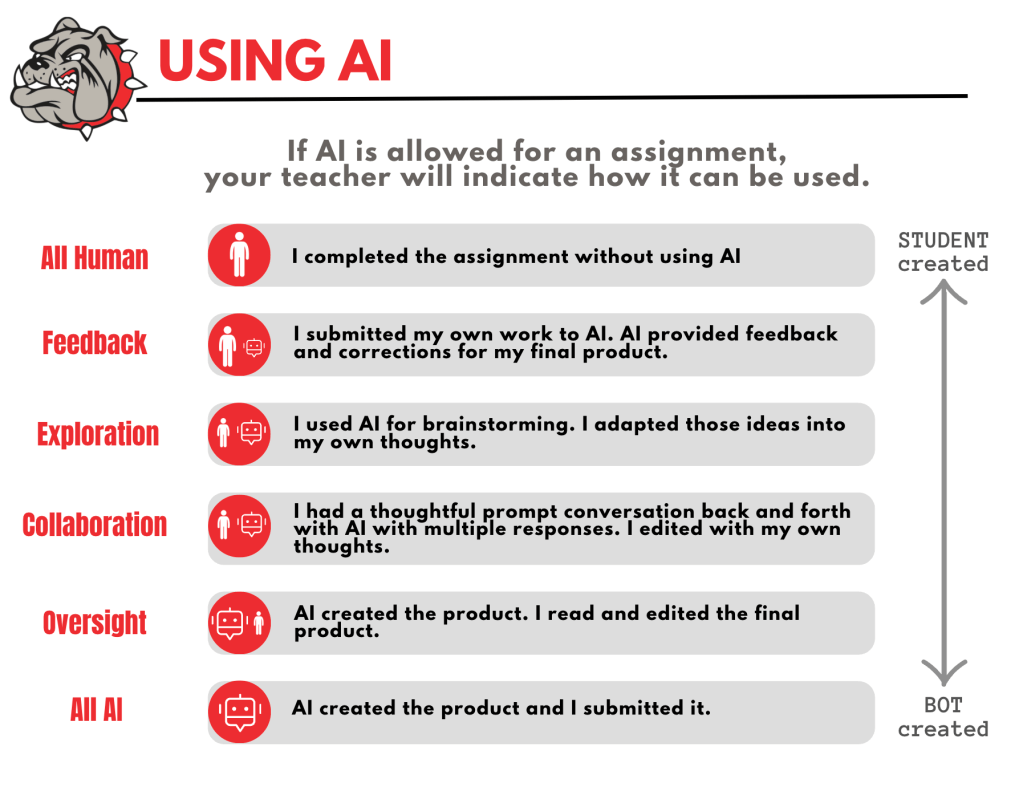
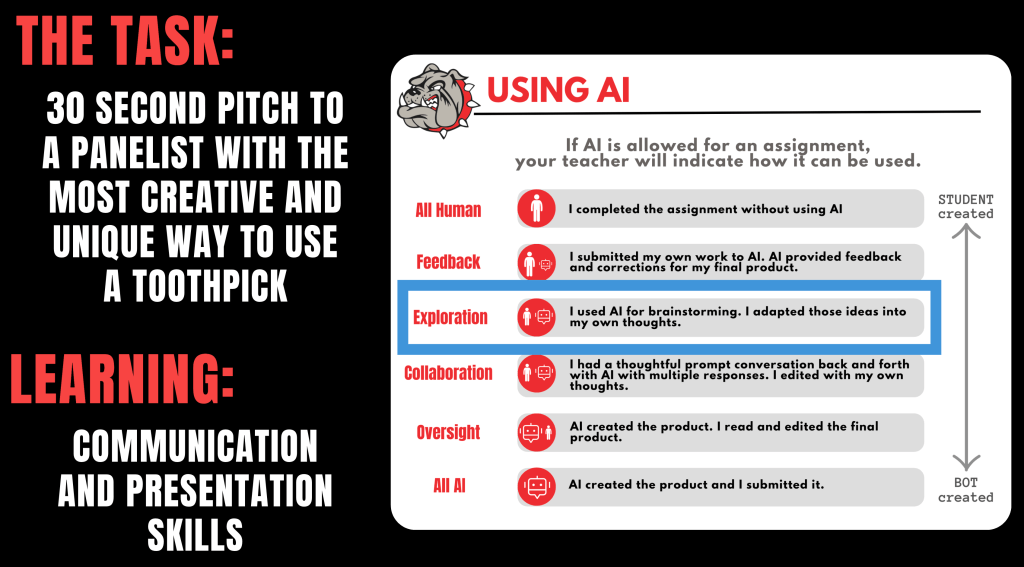
We informed students that common language has been created to help both teachers and students understand when AI might be able to be used on assignments or tasks. The AI committee (comprised of teachers, librarian, digital learning specialists, Deans of STEM and Humanities, and assistant superintendent) tweaked a scale that Pinkerton Academy, in Derry, NH, created a couple years ago. We came up with simple phrases so that if an assignment might allow the opportunity for AI to be used, a teacher can clearly indicate by it’s name. For instance, a teacher could say, “For this assignment, students are able to be in the Feedback level.” An image of our poster can be found below. The default for assignments will be ‘All Human’ unless otherwise stated by the teacher. We are thinking that this visual will be available in classrooms.
New York Times Challenge
Recently, I came across a New York Times challenge that asked students to submit entries on what it is like learning in the day and age of AI and there’s great submissions of visuals, videos, poems and writings. I took this opportunity to highlight a visual and a video from two different student submissions.
The visual, titled “Replaced by our own creations”, highlights the frustration and fear that some teachers have. The visual highlights how a teacher is asking questions to students in the class and the three students are called ChatGPT, Gemini, and Deep Seek. I bring up the point to students that teachers really want to make sure that students are thinking and want to get their thoughts and ideas. They don’t want to be asking questions to a chatbot in class. Reminding students that there is a time and place for when AI can be used. Sometimes, teachers really need to assess just their own thinking and knowledge.
The video, titled “In Progress” highlights how a student is struggling to get their work done. There is constant ‘noise’ coming from both sides of the student, trying to get them to just get the work done with the assistance of AI. This noise also says that they are smarter than their teachers and can help them get a good grade. The student does eventually power through without the use of AI and ignores the noise coming from both direction. To see the visual and the video, click through the presentation or reference in the New York Times challenge.
When we spoke with three student focus groups a couple of months ago, we did hear from some students say that sometimes they feel pressure to use AI even when they are not supposed to on an assignment because they know that everyone else is using it. The thought is that those students will get a better grade so to get the same grade, they should just use AI. We also hear that for some students they just decide to use it because it will save time and they can move on with something else. Don’t get me wrong, in the focus groups they also highlight how they use AI to act as a tutor as well as other appropriate ways. I remind students that what the video is highlighting is no different from what we heard in the focus groups…and that it is ok to to be challenged from time to time in school. We don’t need to be perfect, and in fact by not being perfect, we are learning.
Recently, I started to follow an individual by the name of Paul Matthews on LinkedIn. He shared a post about “if I only had thirty minutes to speak with students, this is what I would say”. I really appreciated some language and talking points as he referenced. I already knew the content in what he was sharing, as we have shared similar stuff prior. I just liked how he said them – it is always great to get a different perspective.
The Toothpick Activity
I don’t remember where I originally was introduced to this activity, but it was a webinar back when AI had started to come out. What really speaks to me about this activity is that it can be tailored in many different ways. Our staff have been through this activity in a previous staff meeting, and now students had the opportunity.
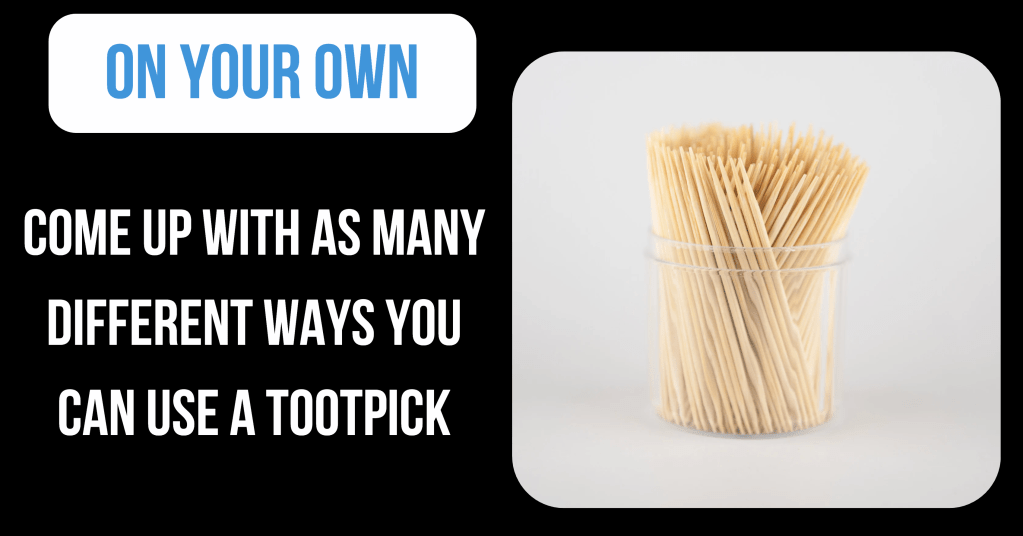
Students are told that they have one minute to come up with as many different ways to use a toothpick. The goal is to have the most. After that minute, students are then given 1.5 minutes to work with the person next to them and continue to build on their list, keeping in mind that the goal is to have the most number of ways. At the end, we ask students to raise their hands to see who had the most.
We then say to the students ‘what was the purpose of the activity?’. Well the purpose was for them to showcase their brainstorming and thinking skills. So in this example, we wanted students to use their own thinking by thinking alone, then collaborate with another individual and work together on each others’ thoughts…not AI thinking. We provide the ‘Using AI’ visual so they can see where that task would be on the list. This particular example models the All Human category.
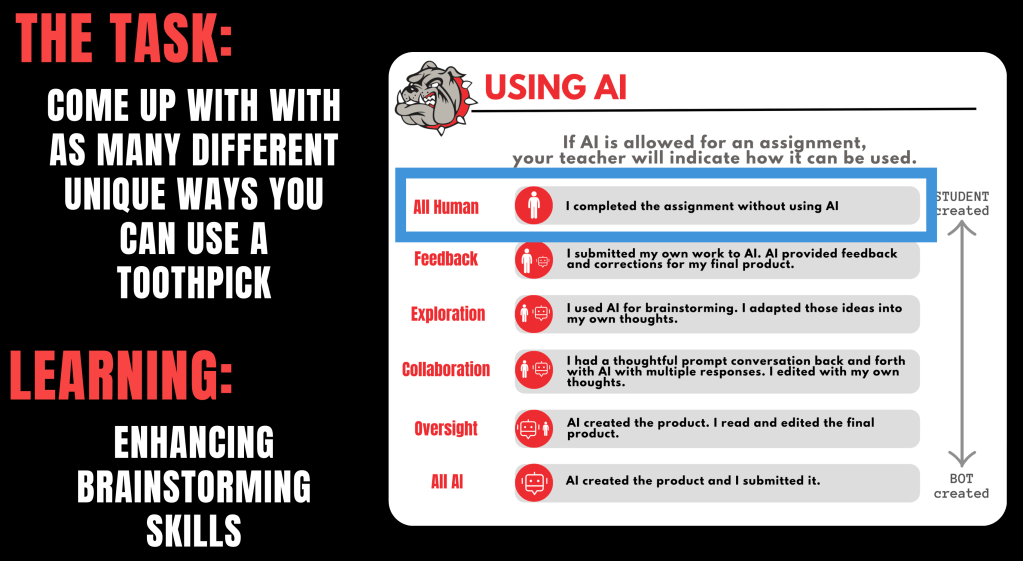
Then, we gave students two other examples. For instance: If the purpose was for students to give a 30 second pitch as to why their use case is the most unique one, then we would be assessing their communication skills. Can they convince us? In this case, they could be in the exploration row of the ‘Using AI’ visual. We aren’t assessing if they came up with the toothpick idea. Instead, we are assessing on if they can communicate their idea in a way that convinces us.
Again, we are trying remind students that there is a time a place when it comes to AI use and it all relates to what the teacher is assessing for a particular task. Students should never just assume, but verify the expectations. Students need to keep in mind that teachers are wanting the best for their students and that they need to trust their teachers.
NotebookLM
I am interested to see how NotebookLM will be used by both teachers and students. To help educate teachers, I created examples of notebooks over the past couple months related to actual curriculum that they might be teaching and shared in a Google Classroom that they are students in. Outside of curriculum, I created two notebooks, one relating to our student handbook that is probably 90 pages long. Thinking, what a great opportunity to provide that information in a different format to allow students to ask questions or test their knowledge with flashcards on facts or rules that they should know about. That could be a great advisory activity at the beginning of the school year.
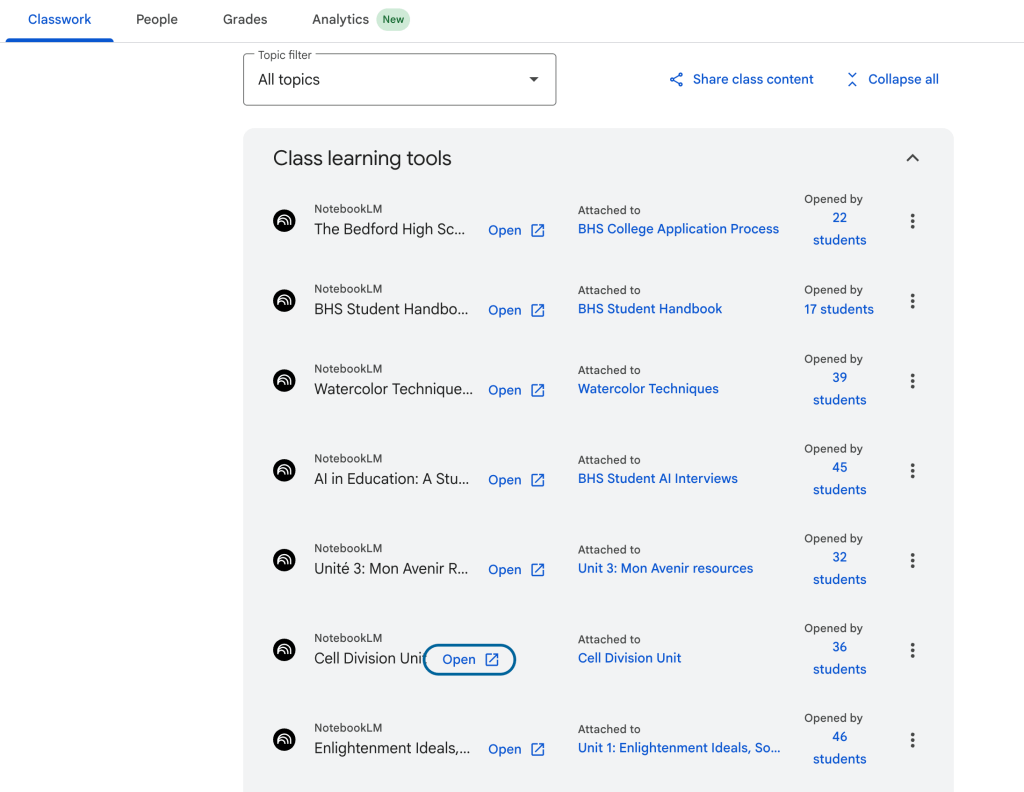
I also created a notebook on the college application process that students at Bedford are asked to walk-through, for those who are choosing to go to college. I took all of the important files and information that’s on the counseling website and put that into a notebook. Perhaps this could be helpful where students could ask questions.
Teachers could create a notebook and share that notebook with the other staff in their PLC to support their own curriculum.
Recently, I heard an example of a friend helping their daughter be successful in driver’s ed. They uploaded resources and important information into a notebook so that the daughter could quiz herself.
In order to continue to be thoughtful and deliberate, a NotebookLM resource page has been created for students (also made one for our staff). Students can find videos highlighted different features of the NotebookLM in 90 seconds or less.
Hope this helps others in tackling the world that we currently find ourselves in. We don’t have all the answers, but we are trying to do our best. Will be sure to share more as we continue to help students and teachers navigate learning during the era of AI. There is a lot more work that both Jessie Gilcreast and I still have to do. Feel free to reach out if you have any questions. You know where to find me.
And that’s my Spiel…
 Craig M Sheil