Rethinking and Redesigning Lessons using Spreadsheets

(I’m embarrassed to say that this blog post should have gone out in Feb 2023 as that is when a draft was written below – but time got away from me). 

This is one of the parts of my job that I enjoy – rethinking and redesigning lessons to better support curriculum. One example recently came from the Wellness department. In Wellness I classes, students are asked to take a look at food that they eat and document nutritional facts. The idea here is for students to get a general idea as to what they eat and how their decisions relate to the daily recommended allowance.

To make this happen, students are asked to document food that they would eat over a span of two days at restaurants. Using a nutrition calculator, students are able to find accurate nutritional facts. Once students document their own data, they are asked to answer questions comparing their results to the daily recommended allowance. Students in the past were given a google document similar to the image below.
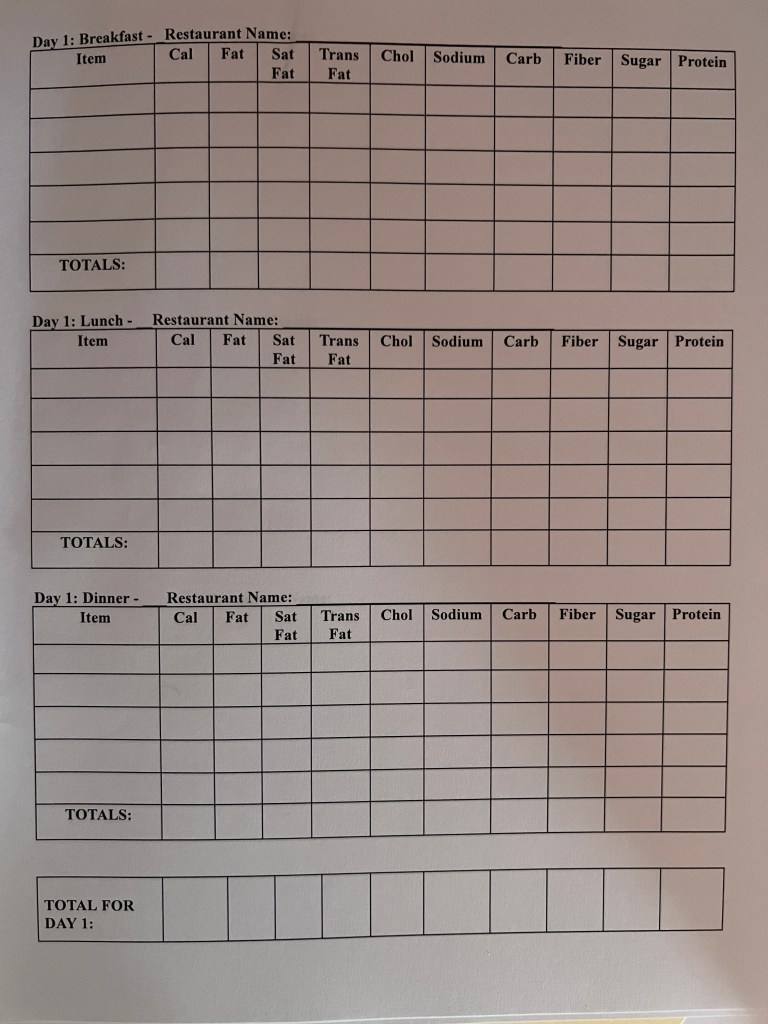
With this document, all information is provided in a one stop shop. A nutritional calculator is provided, tables are clearly labeled prompting students with the necessary information needed, and follow up questions are provided. Students are asked to complete the worksheet.

Continue reading “Rethinking and Redesigning Lessons using Spreadsheets”
Marketing Students, Data & Looker Studio

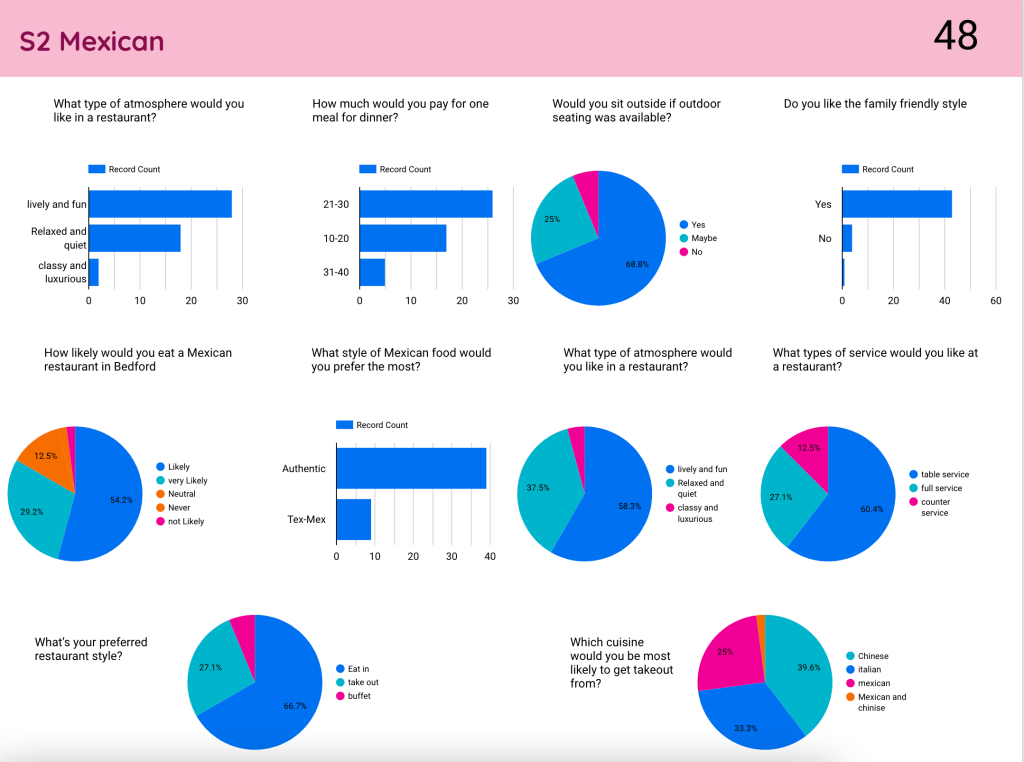
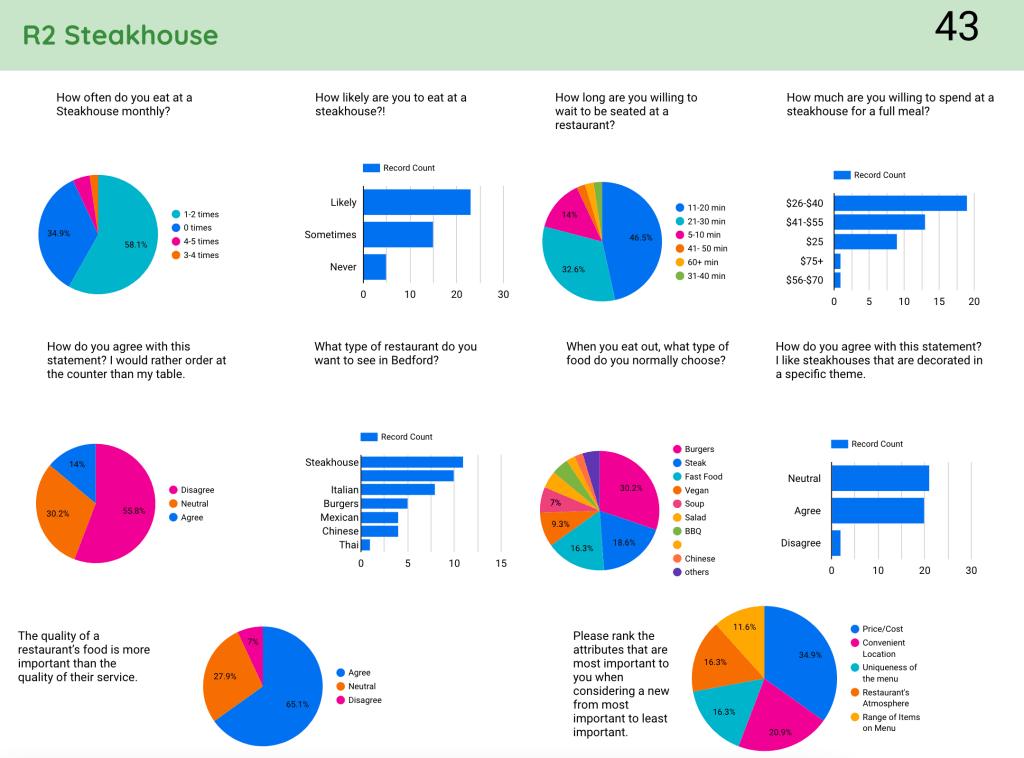
Recently, I had the opportunity to work with the marketing teacher in school, Mrs. Wilczewski, where we wanted to help students analyze their data collection. In groups, students were asked to research a particular restaurant that could be opened in town. Students organized focus groups to gather some information. Additionally, each group created a Google Form to gather feedback through survey questions. Students were then asked to create a presentation about their findings for a new restaurant in town. 

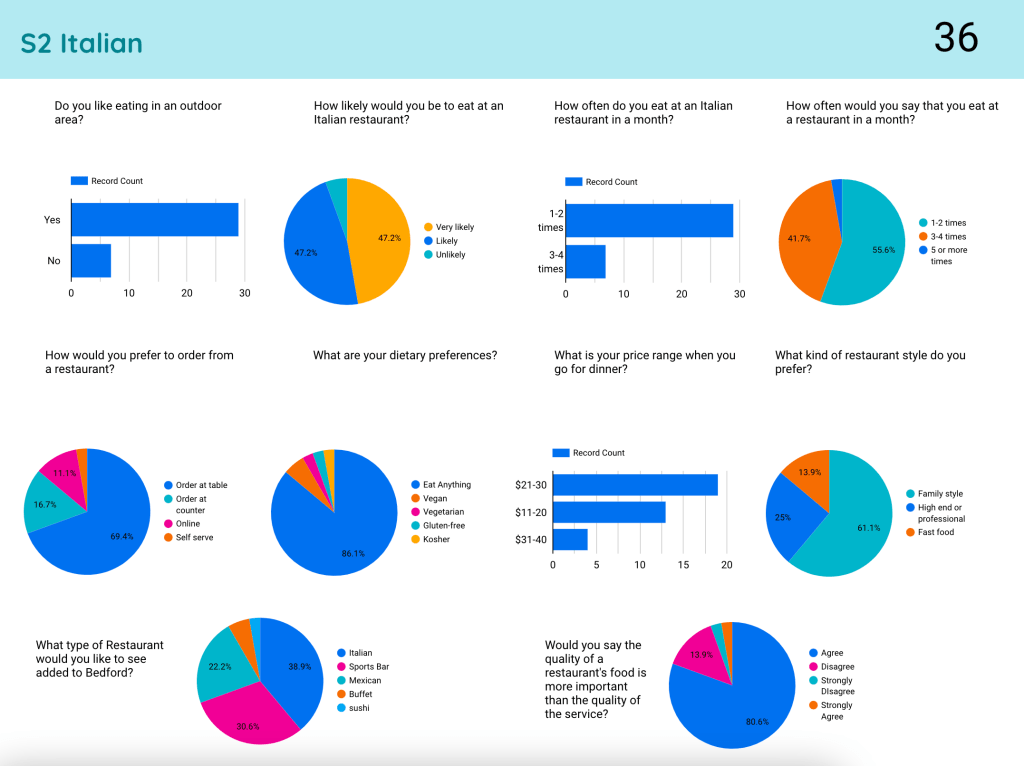
In talking more with Mrs. Wilczewski, we decided to curate all of the data from each of the 15 different restaurant groups and pull them into a Looker Studio (formerly known as Google Data Studio). To take a look at the Looker Studio, click HERE. A quick sample of what three of the pages look like can be seen below without launching the Looker Studio. NOTE: It is important to note that no PII is included with this Looker Studio. There is absolutely no student information being shared.

Continue reading “Marketing Students, Data & Looker Studio”

Streamline Daily Data Collection

Our special educators at our high school have been asked to formally keep track of the services that they are giving students under their caseload next school year. My colleague, Kerri Lunn, and I sat with one of the case managers to truly understand all that they are being asked to document. We wanted to make sure that they will not spend hours each week documenting the necessary information.

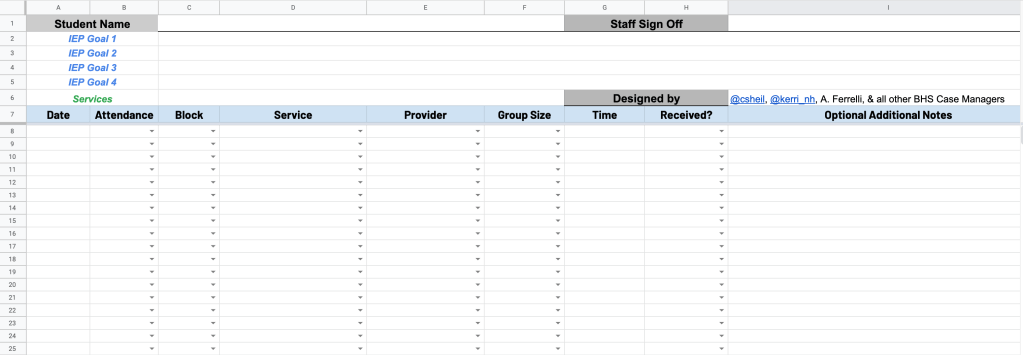
Based on the conversation, we landed on creating a spreadsheet template that each case manager can make a copy of. Things we considered:

  • Streamlined workflow so that they are making selections from as many drop down columns as possible – less typing the better
  • Each student has its own sheet tab so that finding information later in the year can be found easily
  • Use of column stats can give a quick overview of each student when meetings arise or questions are asked in an email throughout the school year
  • Workflow that all special education case managers can work with – we met with the whole team to get feedback and made adjustments based on their suggestions
Visual showing the spreadsheet view

Continue reading “Streamline Daily Data Collection”