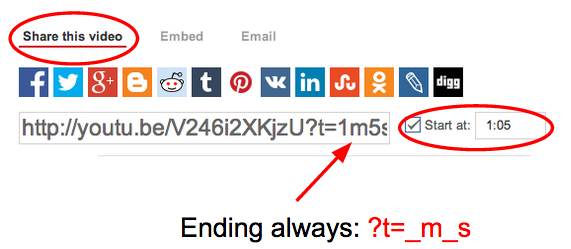
At times, you may have found yourself wanting to share a video to others but did not want to waste their time getting to the ‘good’ part. In YouTube, you have the ability to share a specific starting time.
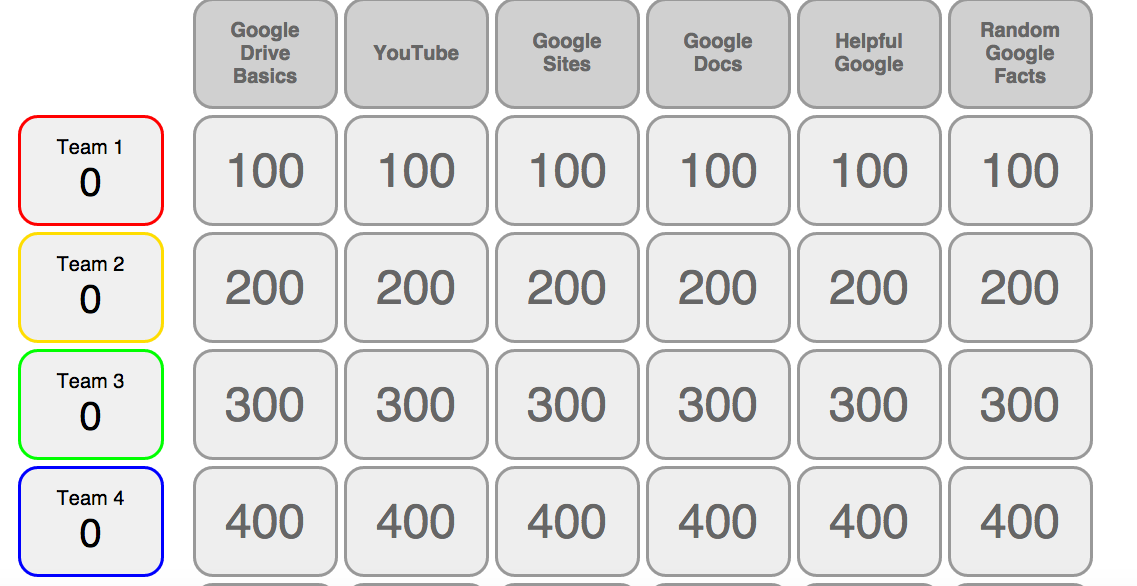
Creating ‘Jeopardy’ Game in Google Sheets – Say What?
That is right. I just learned last week that flippity.net has a template for teachers and students so that they can easily make a Jeopardy Game. This is all done in a Google Sheet. Interested?
Check out the quiz that I made on random Google and Google Apps facts. I am sure that are some questions you might struggle with (no Google Searches folks!). CLICK HERE
Click HERE if you would like to see what the Google Sheet looks like for the game that I made. Feel free to make a copy for yourself to challenge others.
Why is it Great?
- I love the fact that it will keep track of points for you, as well as hide questions that have already been answered.
- You can also open the quiz as many times as you want and don’t have to worry about clearing anything out from the time it was used before.
- Teams can range from 2 to 6
On the website flippity.net, it actually gives you detailed instructions on how to publish your quiz when you are done as well as get the right link that you need in order to create the quiz.
Check it out some time!
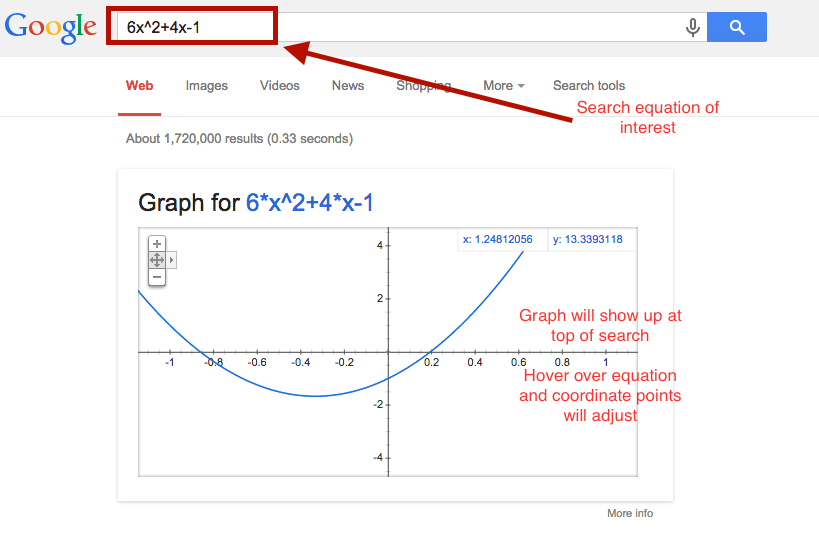
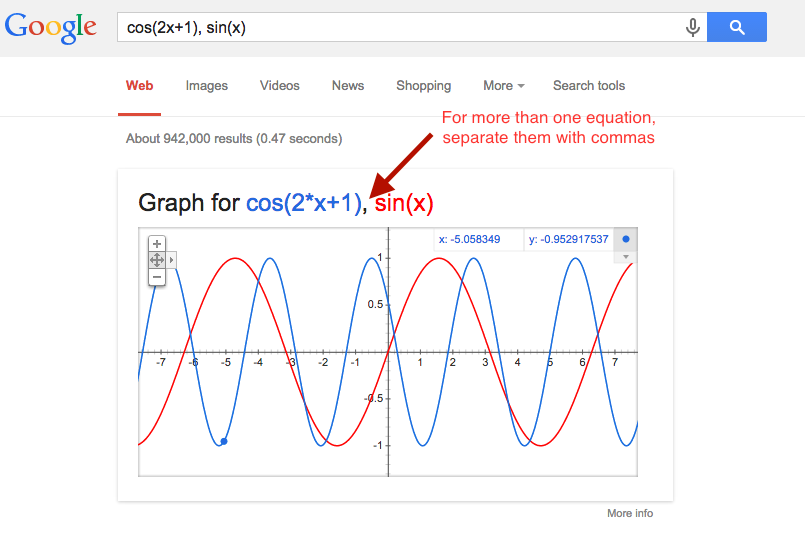
Let Google Help You With Graphing Functions
Find yourself without a graphing calculator from time to time?
Proper Way of Recording on a Device
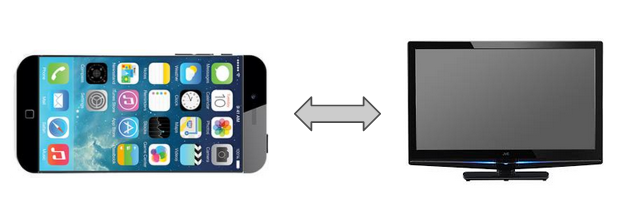
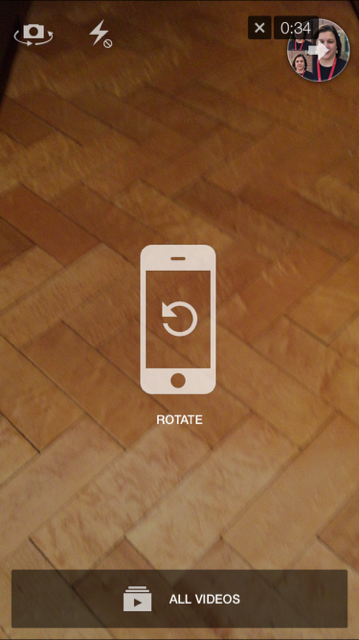
Did you know that there is really only one way you should record video? I know we have all been victims of a video that we are watching that does not span the entire screen. You know what I am talking about. A tall vertical, skinny picture with black regions on either side of the video.
For some reason it does not seem intuitive. Not sure if it is because when we are recording a person, they are normally standing up which is why we tend to record vertically, instead of horizontally. Regardless of the reason, you should ALWAYS record video when your device is horizontal.
There is a very easy trick to help you remember this. Think of a TV…a TV is more horizontal then vertical. Therefore, you device should ALWAYS be horizontal.
Happy Videoing!
Change Background of Google Documents
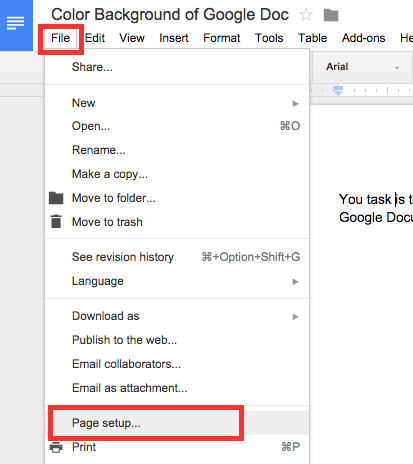
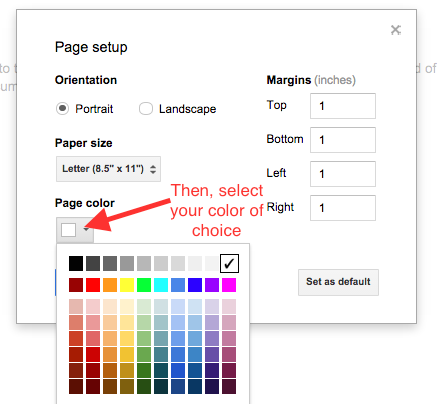
So, did you know that you could change the background of a Google Document? To be honest, it never even crossed my mind and I have been using Google for years! I knew that you could change color of text and cells in a Google Spreadsheet, but never the entire background of a Google Document.
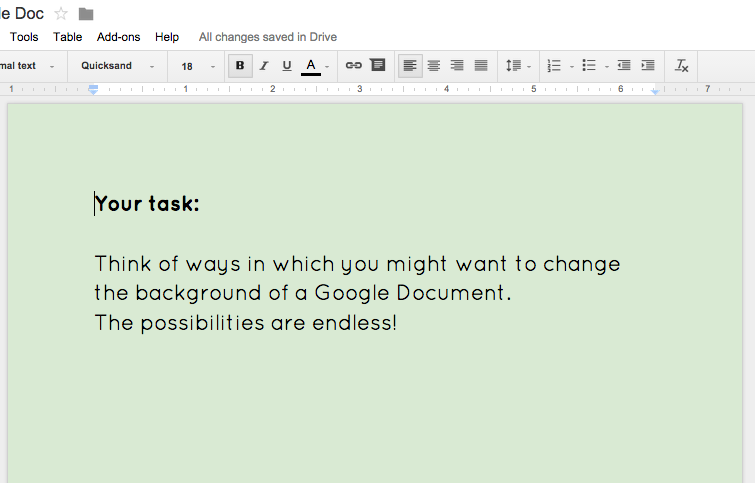
Below are the steps to help make this become a reality for you…
Why Might This Be Good?
- Embedded Google Documents on Google Sites would be easier to find and read.
- Colors of documents could indicate type of document (practice, assessment, information, etc)
Good to Know…
- If you are going to print, might not be a good idea to have a color background
- If you are going to choose a color, choose one that is very light so that the text can be read