Exploring Generative AI in the Classroom

It’s been awhile and thought it was time to add something to the #SheilSpiel.

Our school district was fortunate to participate in a pilot program with SchoolAI for the past three months. Since our district started this generative AI journey back in April of 2023, we have had a mindset of always making sure that we are being thoughtful and deliberate with infusing generative AI into the educational setting. In February 2023, the district made a decision to formally test out an approved generative AI tool for students, called SchoolAI.  

Teachers had the opportunity to join this pilot program district wide. We learned a lot throughout that time – in many instances it consisted of trial and error. What I learned the most was that teachers were happy to be given the opportunity to create spaces that were thoughtfully designed for students. Teachers could determine how students should interact with a chatbot and not worry of the potential ‘wild wild west’ with tools like chatGPT. For some students, their initial reaction was trying to get SchoolAI to just tell them the answers to question prompts, like they can with ChatGPT. We had to remind students that the point of these teacher created chatbots was to help them learn information, not necessarily just tell them the answers to questions. For teachers, there was something about being able to access students’ interactions that helped ease some worry as well. 

Continue reading “Exploring Generative AI in the Classroom”

2023 AI Reflections

What a year 2023 has been. So much learning. So much exploring. So much thinking. It’s been a year full of investigative work with artificial intelligence, more specifically generative AI. I feel like daily I was either having conversations with others on generative AI or exploring around with how it can potentially be used in the educational space. 

Back in the Spring of 2023, I found myself attending different webinars or trainings to learn from others. At staff meetings, the administration team at my high school gave me the opportunity to share learnings and discoveries to help guide staff in what was happening in 5-10 minutes. Trying to make sense of what was really happening. The Digital Learning Specialists and Librarians in the district were trying to get as far ahead of things as best as we could. It sure was an ‘AI race’ that we were experiencing.

Continue reading “2023 AI Reflections”

Magic Switch with Canva

It seems as though everyone is talking about generative AI, to some degree, these days. This blog post is not meant to talk about what generative AI is or how to come up with the best prompt. Rather, I want to talk about what Canva is calling Magic Switch.

In this short 2 minute video, I quickly show how one can take an existing Canva Presentation and have generative AI take that text content and convert it into a different format. For instance, Jess Gilcreast (high school librarian) and I had a 50 slide presentation that we gave to all high school teachers at the beginning of the school year as a base line for what generative AI is. It was the districts goal for all staff to be knowledgable.

With the announcement of Magic Switch a couple of weeks ago, I decided to take that presentation and ask generative AI to convert it into a poem. In about 3 minutes, a Canva Doc appears with a lengthy poem. I have to admit, I was amazed at what I saw. I felt as though the message was right on point with what we were sharing with our staff.

This has my mind going in a couple of places:

  • Perhaps this could be helpful for sharing out information to students or staff a different way to better connect with certain learners.
  • My brain is more on the math and science side of things. I love numbers. As a result of that, I would not necessarily spend time putting content in a poem format. However, if I could get some brainstorming ideas, why not dive in and give it a try.
  • This could also be helpful to just ask Canva to create a summary of text. Again, this could be helpful for some learners who just need to see the content in a different format. There are times where differentiating content is necessary or helpful. Here is a tool to help assist with just that.

Back in Spring 2023, I would we talking to staff about how we will be witnessing an “AI Race”. We are certainly living it. But regardless of that, it is important that we are finding appropriate uses of generative AI in education while always keeping in mind to never include PII (personal identifiable information). There is a time and place where generative AI can help assist with our work. There is a time where it can be meaningful. It is also important to remind one self that human intelligence should always be included and infused with generative AI work. I look forward to seeing more use cases of Canva generative AI tools in the future.

If you have any questions, or you want to talk more about how some of the magic tools in Canva can be used to help you as a teacher, you know where to find me.

And that is my spiel…

Few Canva Presentation Features

I have been using Canva for a couple years, but I am finding that I am gravitating more and more to Canva when I am creating new content. This year, I co-delivered some AI tech training for staff. In putting together content, there were a couple of new learnings for me that I would like to share:

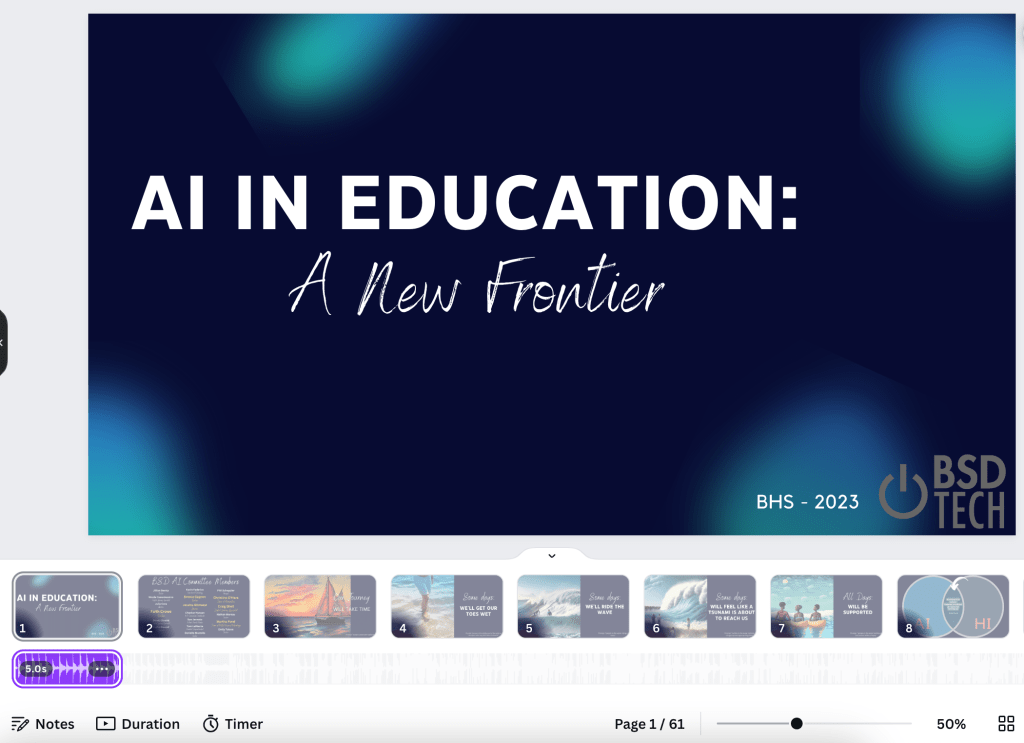
Not sure how long this has been a thing, but I was just not aware. We wanted to play music while staff were coming into the classroom before the session started. Rather than opening up Spotify to play the song that we wanted, we added music right into the presentation under the first slide. See image below.

I always thought that if I did that, the song would only play for the 5 seconds that it is shown under the slide. Well, when you go into full present mode, the entire song will play, or play as long as you are on the first slide. Who knew?!?!

If you have never explored around with adding music to a slide (or multiple slides):

  • Select the audio button on the left column – If you don’t see it there, select the apps icon and scroll down the column until the audio button appears
  • Search for a free audio file that is of your liking
  • Click and drag the audio file underneath the slides in the presentation
  • Adjust the length to determine how long you want to audio to play – Only on one slide, multiple slides etc

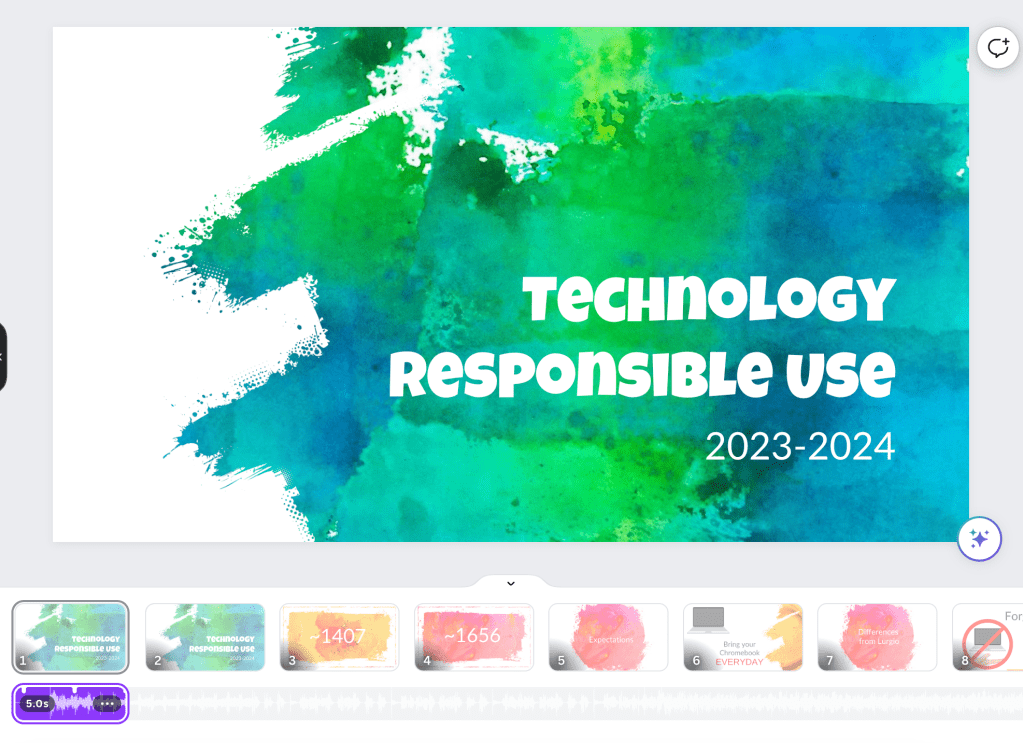
Pro Tip: If you are giving a presentation, duplicate the first slide so that when you want to start talking but aren’t ready to show the content of the actual presentation, you can click to the second slide but no one knows that you have moved on to slide two since it is the exact same beginning slide. In the image below, you can see that I have a first slide welcoming the 9th grade class to their technology expectations for the year. Slide one has an audio file underneath it. But slide two does not.

Continue reading “Few Canva Presentation Features”

Rethinking and Redesigning Lessons using Spreadsheets

(I’m embarrassed to say that this blog post should have gone out in Feb 2023 as that is when a draft was written below – but time got away from me). 

This is one of the parts of my job that I enjoy – rethinking and redesigning lessons to better support curriculum. One example recently came from the Wellness department. In Wellness I classes, students are asked to take a look at food that they eat and document nutritional facts. The idea here is for students to get a general idea as to what they eat and how their decisions relate to the daily recommended allowance.

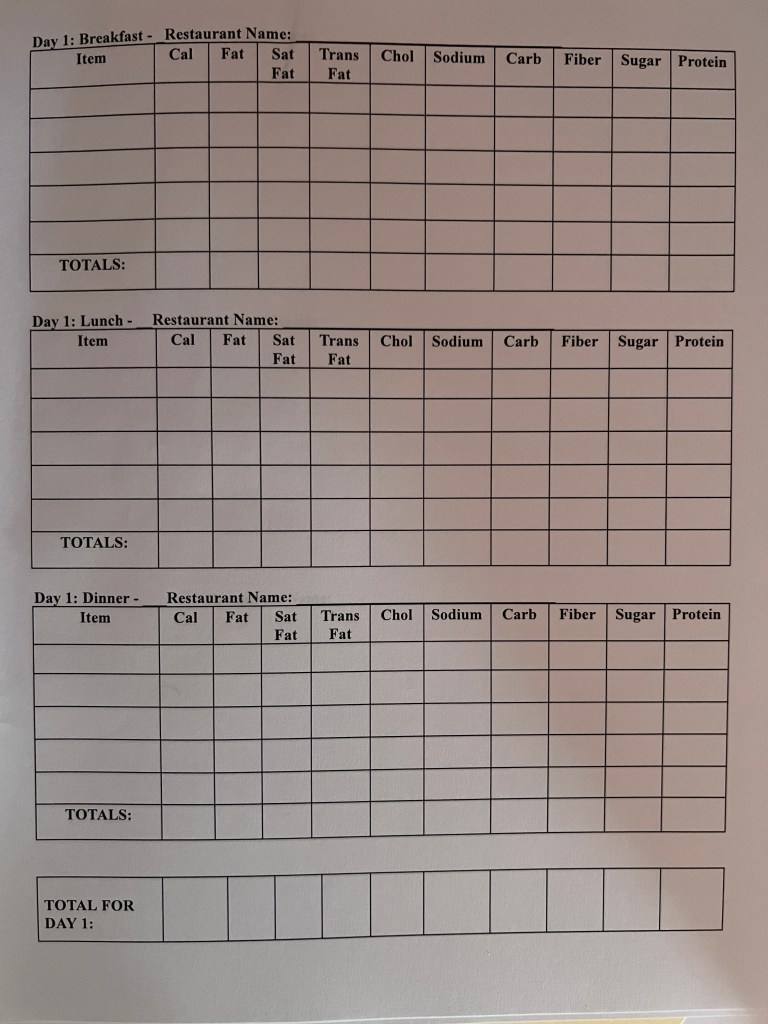
To make this happen, students are asked to document food that they would eat over a span of two days at restaurants. Using a nutrition calculator, students are able to find accurate nutritional facts. Once students document their own data, they are asked to answer questions comparing their results to the daily recommended allowance. Students in the past were given a google document similar to the image below.

With this document, all information is provided in a one stop shop. A nutritional calculator is provided, tables are clearly labeled prompting students with the necessary information needed, and follow up questions are provided. Students are asked to complete the worksheet.

Continue reading “Rethinking and Redesigning Lessons using Spreadsheets”