I’m a firm believer that one should always learn and grow professionally. Whenever I attend conferences or workshops, the hope and goal is that I am able to at least gain one new idea, perspective, or technique that I can take back into my own practice. What I really appreciate and get excited for are these little moments of unexpected learning. I like to use the phrase “well that was worth the price of admission.” (no matter if I had to pay to attend the event or not)
One of those moments recently happen when I attended the Google Educator AI series event in NYC this past summer. This event highlighted the partnership between Google and ISTE and how the two were finding ways of support teachers in using AI to support their work. I learned many things over the span of the two days, but I had some unexpected learning outside of AI content.
As a means of kicking of Day 2 for the event, Dr. Tyler Tarver was tasked with getting the participants amped up for the day. So, he had participants participate in an activity called, ‘Which is better?’.
He asked the participants in the room to determine whom we felt was the know it at all of the group and invited them up to the front of the group. Once that person was selected, he informed the rest of the participants that they all were going to play a game and asked us all to stand up. With the ‘know it all’ person facing the screen not able to see what everyone else was doing, he would show two items on the screen. Us participants had to determine what we thought was ‘better’. Depending on which one we thought was better determined which arm we had to stick out. So if we thought the left item was better, we put the left arm out. Then the know it all person, who’s been deemed the expert of the group, indicated what the ‘right answer’ was. Anybody who disagreed with the expert sits down. Then two different items were shown on the next slide. You continue to play many rounds of this until you’re left with a winner.
While I had attended the series to learn more about AI and the direction Google is going in in terms of educating educators, I still had an a-ha moment outside of AI. I just found a way to hook staff and students at a future training or presentation. I liked the energy in the room when the activity was completed. It was just a very fun, different, unique, and simple way of getting a group of people excited and engaged to kickoff the day or to kick off an actual training.
I have actually put this game into my practice over the past month, or a slightly altered version of this game and wanted to share with others.
Staff Training
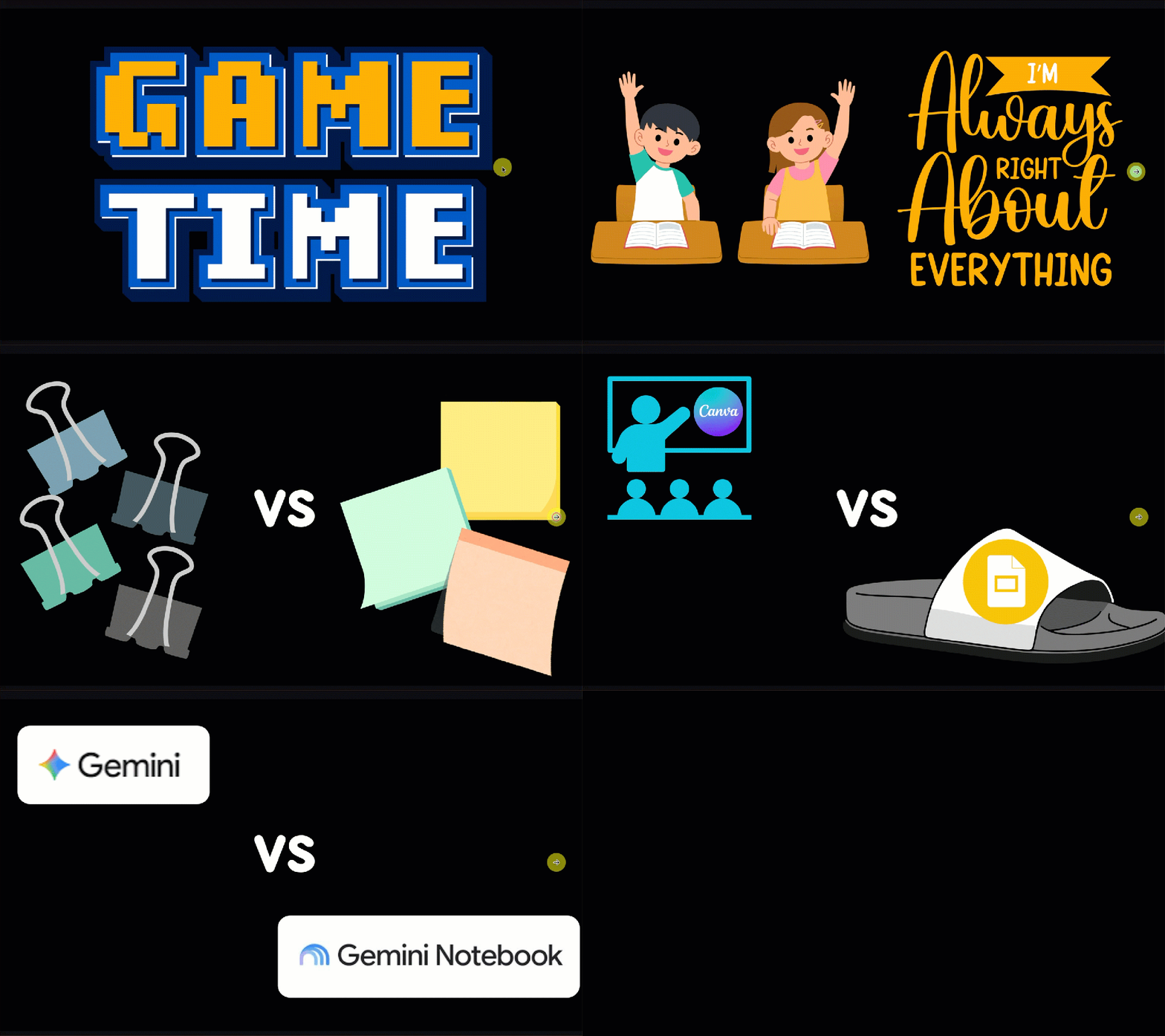
I used this technique at my Welcome Back Tech Training that I give all educators at my high school. I decided to choose items that related to tech tools they use as well as some Bedford related information like ‘which staff member is better’. For instance, which is better – Google Slides or Canva Presentation OR which is better – Kahoot! or Blooket. The laughs and oohhhs that I got from showing a picture of our principal and one of our assistant principals and then saying ‘which one is better’. Such good fun there.
In the past I would put in some sort of fun element or play some sort of digital game, but I like how this was just different. It set the tone to the hour long session. It was a great way to welcome the staff back. I also provided a Canva Template for staff who were interested in doing something similar with their advisory as a optional fun game to play.
Students Getting to Know Two Teachers
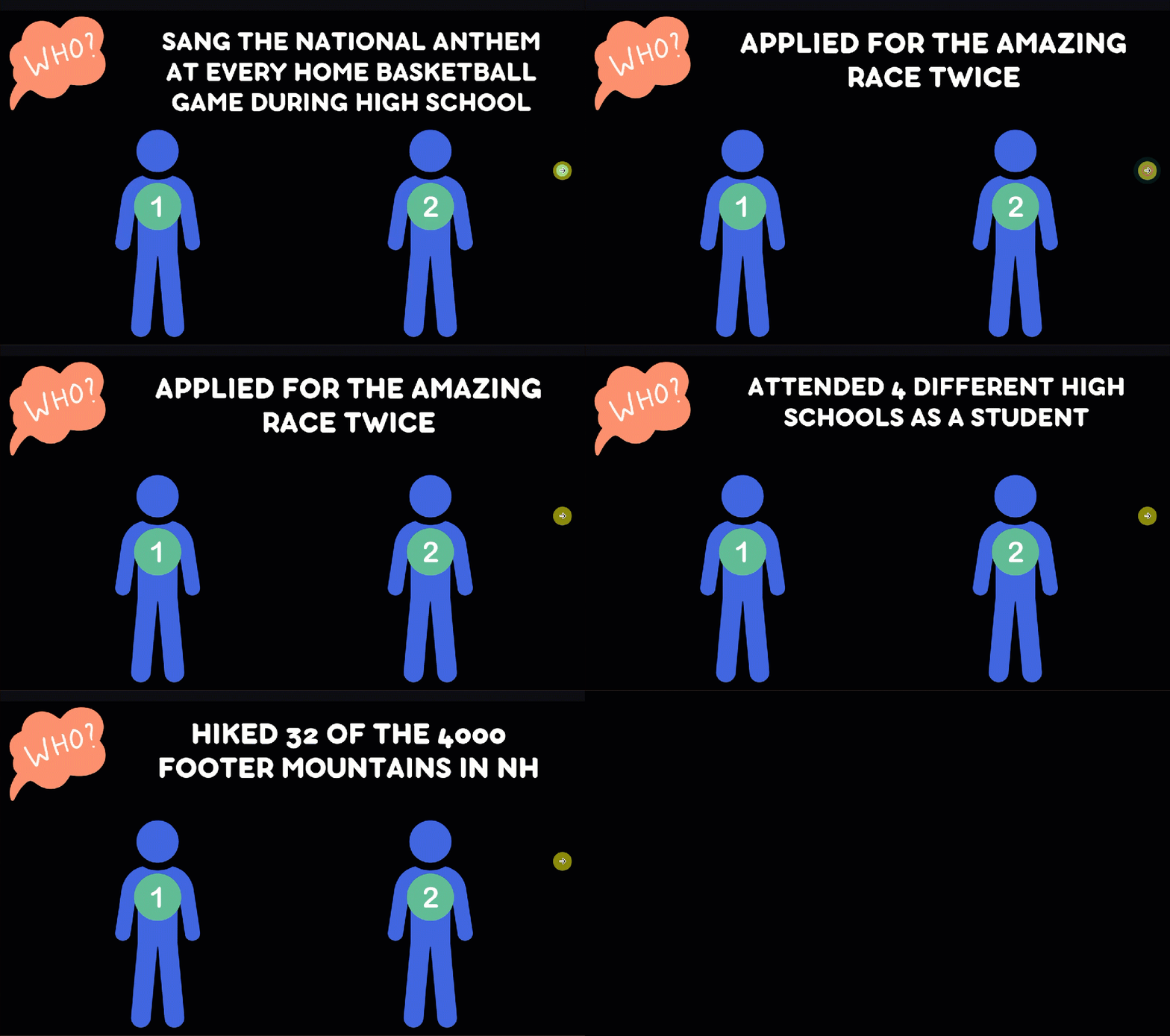
I adapted this game with a group of senior students that myself and another teacher oversee with senior project. Instead of playing ‘Which is Better?’ we played, ‘Who is this about?’. We wanted our seniors to get to know the two of us. Each round, we put both of our faces on the slide – I altered this with a person 1 and person 2 for privacy sake. The students put their hand out depending on who they thought the statement was about. We thought it was a fun way for students to get to know us in a different way – and of course have a winner in the group.
Kicking off Student Assembly – High School Tech Expectations Presentation
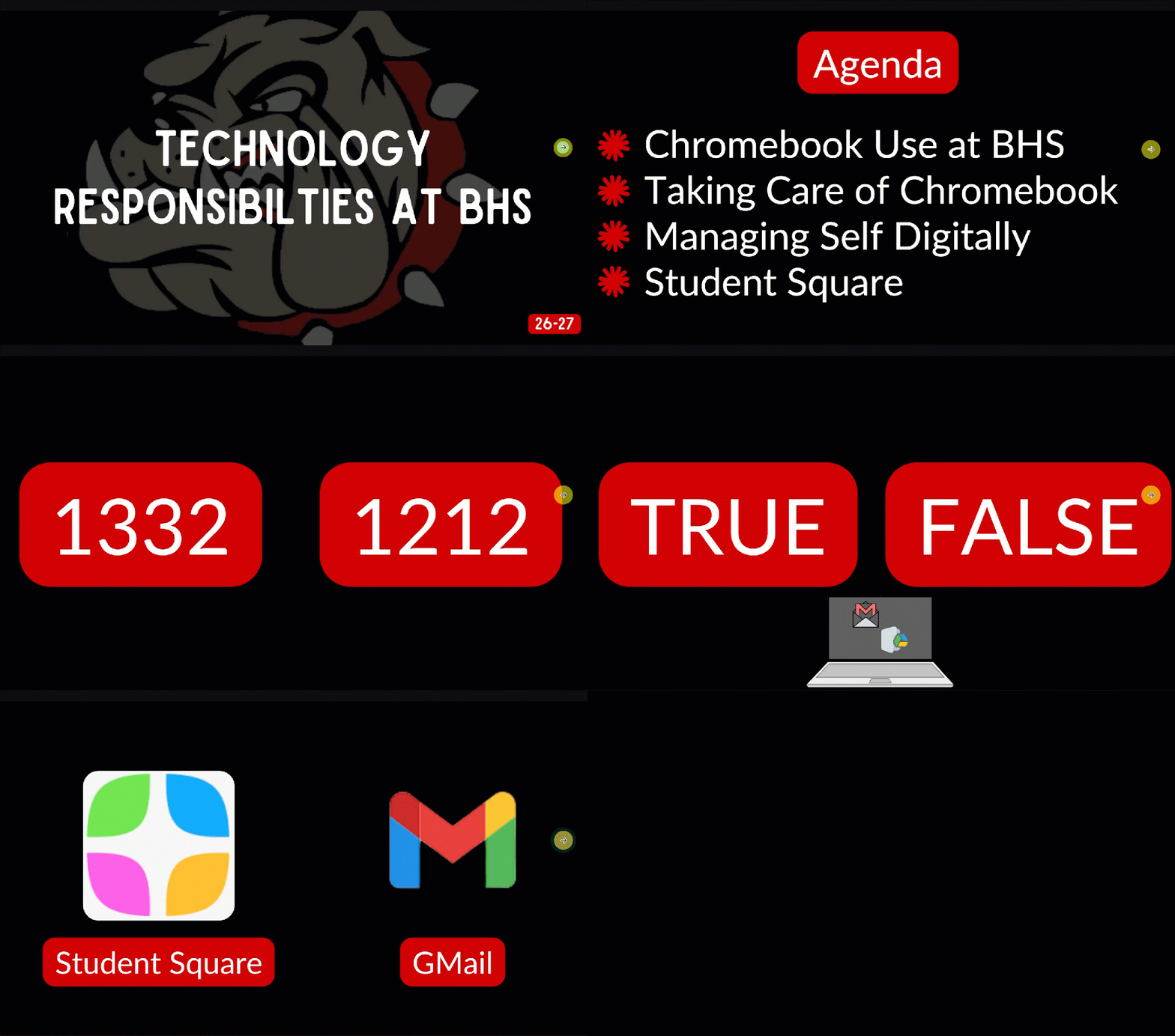
Last week, I decided to kick off a version of this game at the start of the high school tech expectations presentation for our ninth graders in the theater. I decided to add this game element at the beginning and pulled out important ideas that I needed to get across to students and had students figure out what the answer is. In this version, I didn’t ask for an expert. Instead, I had all 300+ students stand in front of their chairs. Based on the question, they either put out their left or right arm. I have to tell you, there was so much energy and engagement at the start of the presentation. The 9th grade class truly got into it. I think there is something about competing against your peers in a visual way. No student could ‘bend the rules’.
I had a slide about how many students they thought were enrolled in the high school. I had a slide about broken chromebooks and where to go. I had a slide about appropriate tool to use to communicate with staff. And at the end I asked a couple random facts about BHS that were not tech related. By the end of the game we had 15 students left standing. Again these facts/slides were to help guide the remaining 15 minute conversation…I wanted things to sink in.
I’ve been giving presentations to students for the past 15 years. This hands down was the MOST fun that I had (and students had). When the librarian and I speak with the group again in the coming weeks, we will do round two of this game as a means of kick starting the presentation.
A simple fun game. A simple technique. A simple 5 minutes at the NYC event….turned into several opportunities for me to better connect with those that I serve. This ‘Which is Better?’ game can be adapted in many different ways. Thankful for the ‘aha moment’. The best type of learning happens when you’re not expecting it. I hope that I am able to pay it forward to help inspire what Dr. Tyler Tarver inspired in me.
And that is my Spiel…