One Question Inquiry Followed by Immediate Results

Screen Shot 2019-07-01 at 2.19.07 PM.png

Over the past school year, our administration has asked staff to provide their thoughts about particular topics. In order to collect the data, Mr. Jozokos (our Assistant Principal, now Principal) would send out a Google Form that only had one question in it. Right to the point…asking our thoughts through a multiple choice question.

He designed these Google Forms with a purpose. He wanted to get the appropriate feedback. Kept the forms short, sweet, and to the point; only encouraging more staff to complete it. But the best part was that he always turned on the feature that allowed people who have answered the form to see immediate results at that point. In other words, if I were to answer the one question and then hit the submit button, I had an option to click on a link that says see summary results.

Continue reading “One Question Inquiry Followed by Immediate Results”
Jamboard is for Brainstorming

Screen Shot 2019-06-26 at 12.47.50 PM

In previous blog posts, I have shared different ways students have used Jamboard in their classes (blog post). One area we had yet to focus on is with staff actually using Jamboard. More specifically, using it to help brainstorm ideas for planning out curriculum. For the past two weeks, different staff members took it upon themselves to try out Jamboard for the first time. I would like to talk about one group in particular.

Continue reading “Jamboard is for Brainstorming”

Lock Mode Hack for Assessment Notes

Screen Shot 2019-06-07 at 8.14.34 AM

I am embarrassed to say that it has been several months since my last blog post. How did time get away from me? Well, there is lots to share but I will start with one idea.

A couple of weeks ago, I had a math teacher, Mr. Stackhouse, email me a statement similar to this one:

“I had my students make an electronic notebook. My thought was that they could print their slides for their ‘notecard’ to use on the assessment. This assessment is not digital. I was wondering if there was a way that we could restrict their Chromebook screens to just their electronic notebook and not have them print out the 10 slide, slide deck.”

Continue reading “Lock Mode Hack for Assessment Notes”

Teacher Tip – Flippity: On the Fly vs. Planned Groups

Screen Shot 2019-02-21 at 8.50.38 PM

There are many elements to my job that I absolutely love. Today was another reminder! Seeing as though I help support curriculum in the classrooms, I am able to observe great teaching strategies from the high school staff. We all do great things and have great skills that are unique to us as an individual.

Continue reading “Teacher Tip – Flippity: On the Fly vs. Planned Groups”

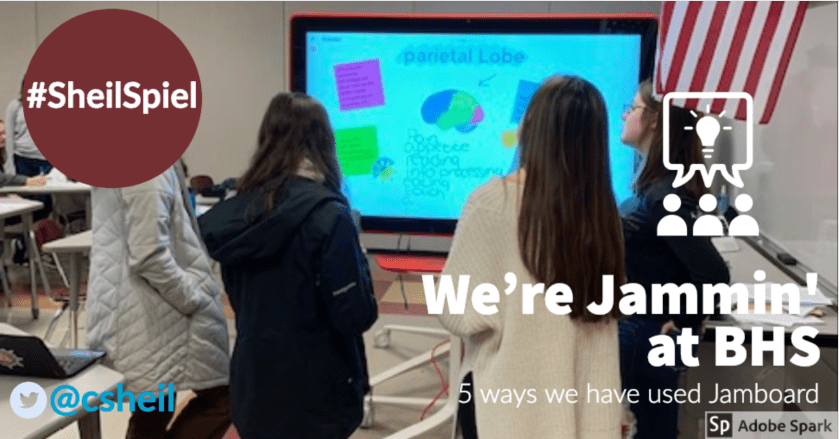
We’re Jammin’ at BHS – 5 Ways We Have Used Jamboard

Screen Shot 2019-02-06 at 8.38.56 AM

A couple of months ago, I had blogged about how BHS received two Jamboards through a grant from Google and BenQ – you can view that blog post HERE. Since that time, we have had an opportunity to investigate how we could implement Jamboard in the classrooms. This blog post will highlight five different ways, in five different settings, on how we have used Jamboards in the educational setting. This blog post is a bit longer than usual but feel as though it is important to truly capture just how we have been using the new tool. My hope is that it will help inspire you to trying Jamboard with your own students.

Continue reading “We’re Jammin’ at BHS – 5 Ways We Have Used Jamboard”