
 We are back to Google Classroom today. Most of the teachers at Bedford High School do not report grades earned through Google Classroom on assignments. Rather, they report these grades right in our student information system, PowerSchool. With the change of Google Classroom over the summer, the back end of Google classroom has thrown a couple of teachers off. More specifically, relating to returning assignments.
There is a clear difference between returning “ungraded” and “graded” assignments if a teacher does not report individual student numerical grades in Google Classroom.
Continue reading “Day 7 of Google 2018: Google Classroom Grading (or lack of grading)”

 Today’s topic pertains to Google Classroom and the new grading feature this school year. Now when you open up a file that is shared through Google Classroom, a new grading window shows up. There are some great benefits to this new feature this year.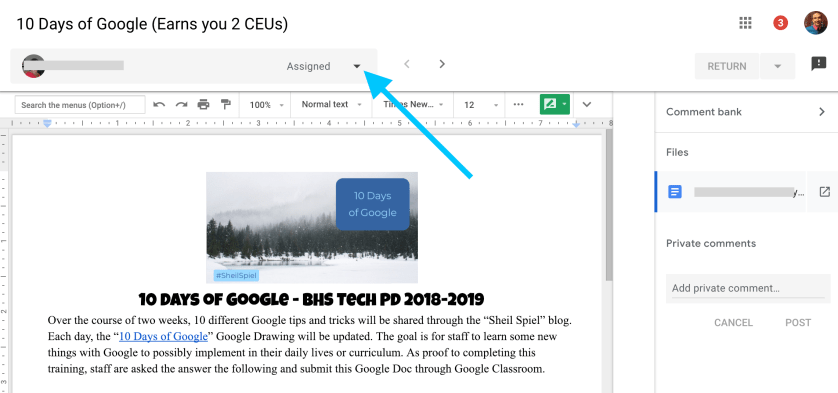
 Today we will focus on YouTube. Let’s face it. Most of us end up on YouTube at least once a day for whatever reason. Maybe one of these three tips will help make your viewing experience that much better.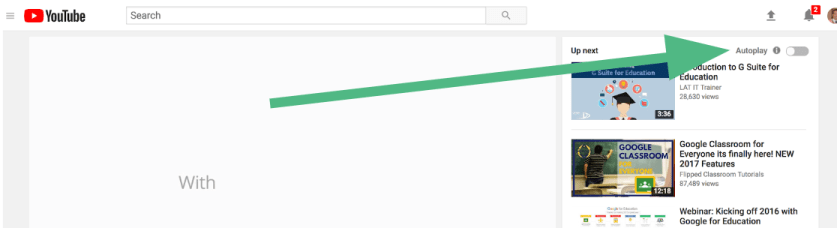
 Use spreadsheets from time to time? Google Sheets now allows users to have checkboxes in a column. It might seem like a small feature but in all honesty, it can be a great visual cue to know who has and has not done a particular task.
 Craig M Sheil