
 Today we will focus on YouTube. Let’s face it. Most of us end up on YouTube at least once a day for whatever reason. Maybe one of these three tips will help make your viewing experience that much better.
Number 1: Autoplay
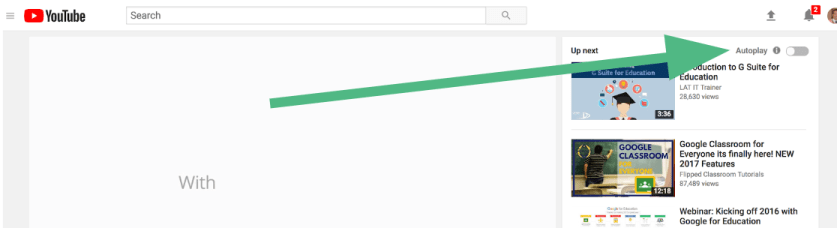
Do you hate it when videos will automatically play after you finished watching a YouTube video? Did you know that you can stop that? On the top right corner, there is a button that you can turn off so that “autoplay” is turned off.
Continue reading “Day 4 of Google 2018: 3 YouTube Tips & Shortcuts”
 Use spreadsheets from time to time? Google Sheets now allows users to have checkboxes in a column. It might seem like a small feature but in all honesty, it can be a great visual cue to know who has and has not done a particular task.
 Word clouds have been around for some time. They can be great to help share a message or get a point across in a visual format. There is an add-on with Google Docs that helps users create a Word Cloud with their content.
 About a month ago, Google released a feature with Google Slides that many people didn’t realize that they were missing this feature until it came out. Now, when you are giving a presentation to a group of people, you have the ability to turn on Closed Captioning, or what Google is calling, Captions.

