 Today happens to be about Jamboard. Jamboard is officially considered an application of G-Suite now and can be found in the ‘waffle’ icon. What is Jamboard you ask? Great question! Jamboard is a tool that allows students the ability to collaboratively work together to:
- Mind map and brainstorm ideas
- Determine workflow and guidelines for managing projects
- Collaboratively take notes
- Draw
- Walk through design thinking tasks and challenges
- Character analysis of novels
The possibilities are endless. Continue reading “Day 9 of Google 2018: Jamboard”
 Today for Day 8 of Google, we will explore Google Forms. Over the summer, I was introduced to a Google Form add-on called
  We are back to Google Classroom today. Most of the teachers at Bedford High School do not report grades earned through Google Classroom on assignments. Rather, they report these grades right in our student information system, PowerSchool. With the change of Google Classroom over the summer, the back end of Google classroom has thrown a couple of teachers off. More specifically, relating to returning assignments.
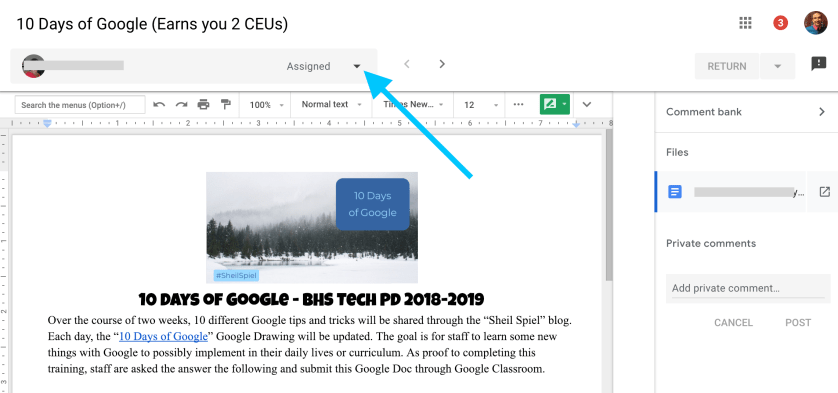
 Today’s topic pertains to Google Classroom and the new grading feature this school year. Now when you open up a file that is shared through Google Classroom, a new grading window shows up. There are some great benefits to this new feature this year.