Day 4 of Google 2020 – Jamboard

On the forth day of Google 2020, we will take a look at Jamboard. Jamboard has been one of those tools that has been used widely during remote instruction. I have written several blog post this year on how teachers are using the tool to help re-imagine their lessons that would have typically been done on paper and pencil. Here are four ‘did you know?’ tips with working in a Jam file.

CUSTOMIZE BACKGROUNDS

Yes, it is finally here! Teachers can rejoice. We now have the ability to have an image be the background of a page in a Jam file. You will now notice this options shows up with the original background options. Now you really don’t have to worry about students moving items on you in the Jam file.

Continue reading “Day 4 of Google 2020 – Jamboard”

Day 3 of Google 2020 – YouTube

Today for Day 3 of Google, we are going to take a look at some YouTube tips. We use it every day, whether we are learning about a topic, or just looking for a laugh. Hopefully some of these tips will help improve your experience with YouTube.

PLAYBACK SPEED

Ever in a situation where you want to speed through a video due to the content that you are being asked to watch or the limited amount of time that you have to watch the video in? Consider changing the speed by which it is played. This is a setting that is local to you. This is a great way for students and teachers to customize their learning and the speed at which they receive it.

Continue reading “Day 3 of Google 2020 – YouTube”

Day 2 of Google 2020 – Google Docs

On the second day of Google, we give you a couple of Google Document tips.

PREVIEW OF VIDEO/GOOGLE SLIDE PRESENTATION

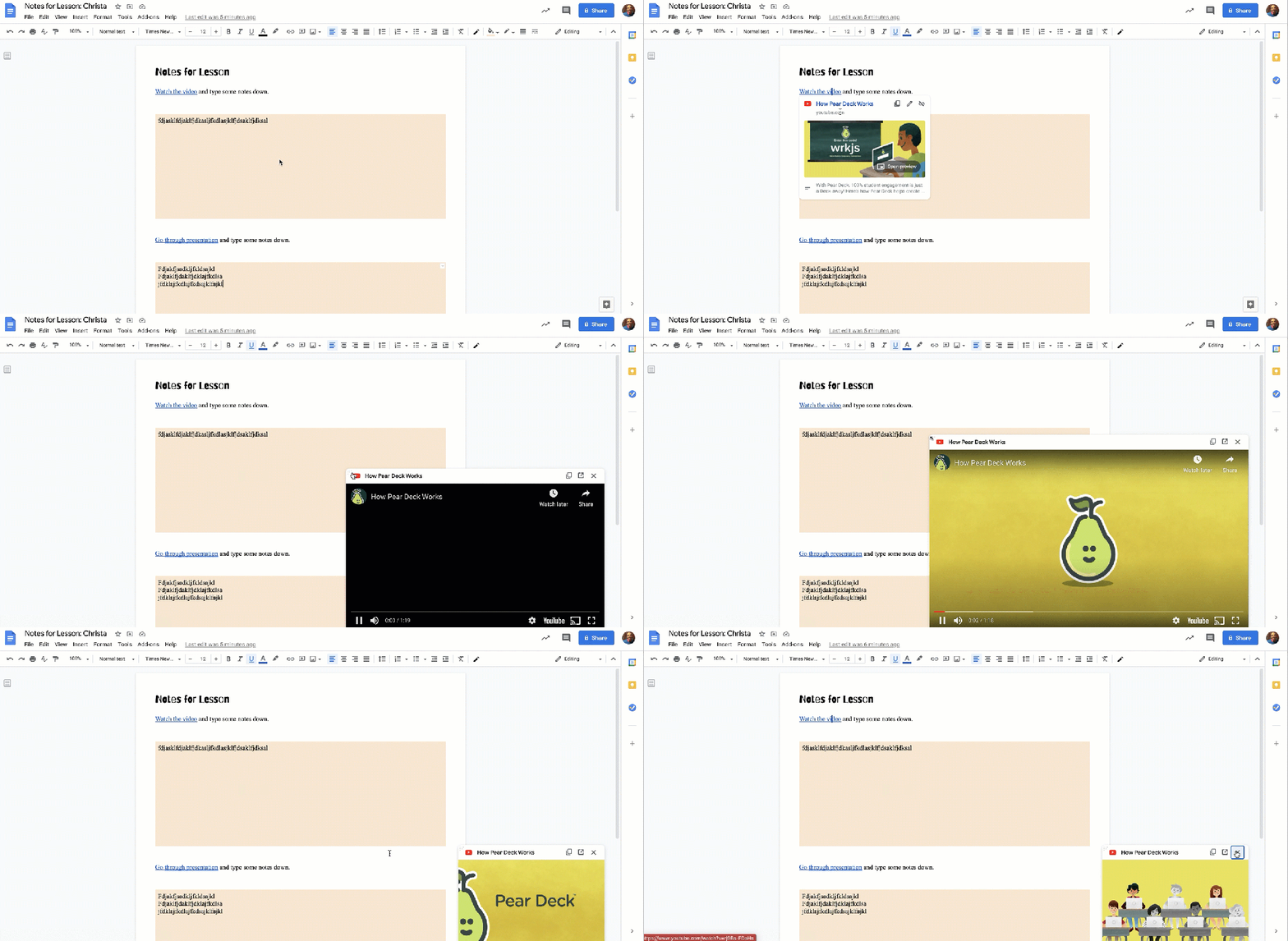
Recently, Google implement a new feature where you can actually view a YouTube video or a slide presentation while you are still in a Google Document instead of having to view in a completely separate tab.

Why this can be helpful? For students, they can decide to take notes while they are watching the video. Or maybe for teachers who share curriculum documents with one another, they can preview a file without having to open the file on a completely separate tab. Other good things to know…

  • YouTube videos can be played in a preview of a Google Slide presentation
  • Users can determine how big or small they want the preview window to be

Click HERE to view a quick demo (1.5 minutes long) on this feature

Continue reading “Day 2 of Google 2020 – Google Docs”

Day 1 of Google 2020

We are going to start simple today and look at some tips when using your own Google Drive. I don’t know about you but I would be LOST without my Google Drive. I wish there was a spot where I could find the number of files that I have created as well as the number of files that have been shared with me. I can only image what that number would be.

WORKSPACES

We are going to start with taking a look at workspaces. This is something relatively new. Basically it is an opportunity for a user to pull in different files that they may be using at the same time for a particular project/unit/time period. Workspace is not considered the same as folders in your Google Drive. Instead it is a space for just that user to quickly find and access the files that they need for the task at hand.

Continue reading “Day 1 of Google 2020”

Re-Think & Re-Imagine – Teaching is Hard!

Teaching in 2020 is hard, challenging and difficult. We have all heard this through conversations at the grocery store, families, co-workers or even the news. I 100% agree. It is hard. It is challenging. It can be difficult.

The reason why many teachers find it challenging is not due to the fact that they don’t know their curriculum, it is the fact that teachers are having to rethink and redesign their lessons during their remote teaching blocks to help make learning as impactful and meaningful as possible. Teachers are not able to take every single lesson that they have taught before and ‘just’ put it online. Much more thought goes into making sure the lesson makes sense.

Two recent activities speak to the notion above, a mathematics and a science example. Pre-pandemic, in both scenarios, the teachers would be able to make photocopies of an activity they wanted students to complete with paper and pencil/color pencils, in either groups or individually. Seeing as though students are experiencing the lesson remotely at home, the teachers had to re-think and re-imagine how the lesson could run. It all came down to what was the true goal of the activity and how they could design the activity to fit the current situation that we all find ourselves in.

Continue reading “Re-Think & Re-Imagine – Teaching is Hard!”